Scan your staging site in GitHub Actions after each deploy, and fail the run on what you choose. The run gets a summary, annotations and step outputs with no setup.
Before you start
- A verified domain for the site.
- An API key. Use a team key in CI: see Keys for CI.
Add the step
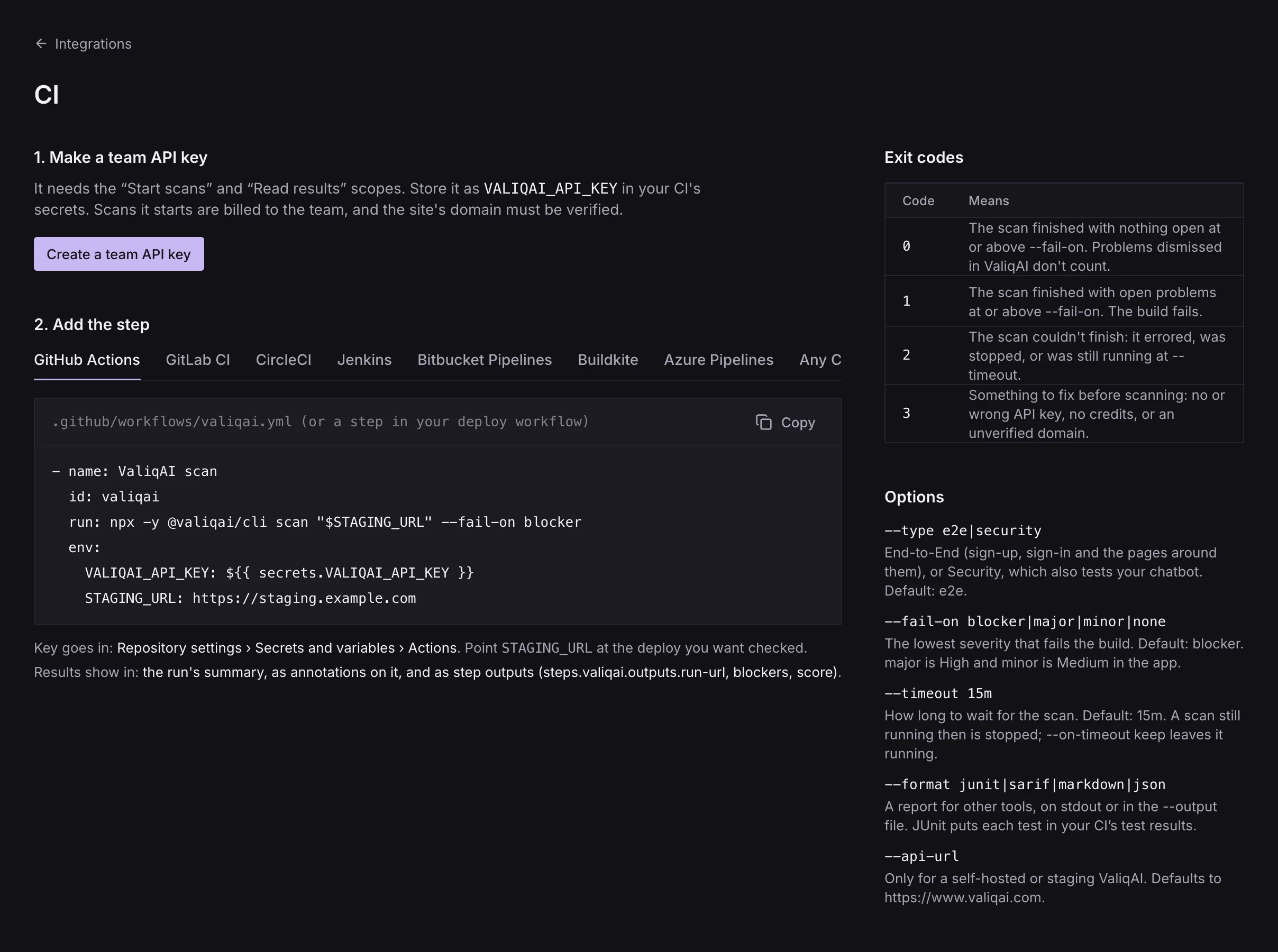
- name: ValiqAI scan
  id: valiqai
  run: npx -y @valiqai/cli scan "$STAGING_URL" --fail-on blocker
  env:
    VALIQAI_API_KEY: ${{ secrets.VALIQAI_API_KEY }}
    STAGING_URL: https://staging.example.com
The key goes in: Repository settings › Secrets and variables › Actions. Results show in: the run's summary, as annotations on it, and as step outputs (steps.valiqai.outputs.run-url, blockers, score).
valiqai init writes this as .github/workflows/valiqai.yml for you. In a linked project, check out the repository first and the step is just npx -y @valiqai/cli scan: the address comes from valiqai.json.
Deploy, then scan
Scan the address you just deployed, in a job that waits for the deploy:
name: Deploy and scan

on:
  push:
    branches: [main]

jobs:
  deploy:
    runs-on: ubuntu-latest
    outputs:
      url: ${{ steps.deploy.outputs.url }}
    steps:
      - uses: actions/checkout@v4
      - id: deploy
        # Your deploy, which writes url=https://… to $GITHUB_OUTPUT.
        run: ./scripts/deploy-staging.sh

  valiqai:
    needs: deploy
    runs-on: ubuntu-latest
    steps:
      - uses: actions/setup-node@v4
        with:
          node-version: 22
      - name: ValiqAI scan
        id: valiqai
        run: npx -y @valiqai/cli scan "${{ needs.deploy.outputs.url }}" --fail-on blocker
        env:
          VALIQAI_API_KEY: ${{ secrets.VALIQAI_API_KEY }}
      - name: Link the results
        if: always()
        run: echo "ValiqAI results ${{ steps.valiqai.outputs.run-url }}"
What you'll see
- The run's summary page: the verdict, counts by severity, the tests, and the ten worst open problems, each linked to the scan.
- Annotations: each open problem at
--fail-onor above is an error on the run; other blockers and highs are warnings. GitHub shows up to 10 of each per step, and the CLI says how many more there are. - Step outputs for later steps:
steps.valiqai.outputs.run-url,scan-id,score,blockers,high,medium,statusandexit-code. - The scan's page in ValiqAI says GitHub Actions · main · a1b2c3d, linking back to the run.
--no-github turns the summary, annotations and outputs off. For a pull request comment of your own, write the summary with --format markdown --output valiqai.md. See CI output.